
This guide will show you how to edit the matter name and part name. Watch the video or refer to the instructions below.
Editing a matter name #
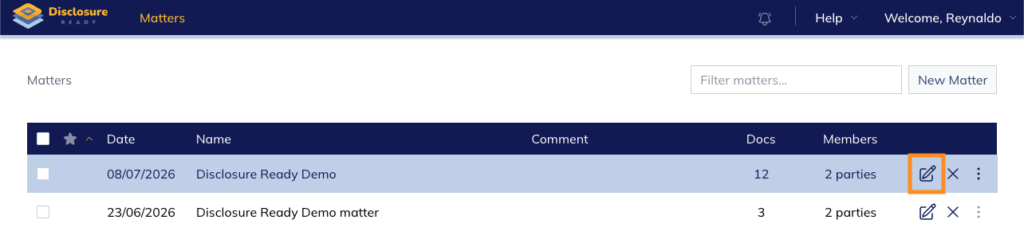
- Click the edit pencil on the right-hand side of the matter
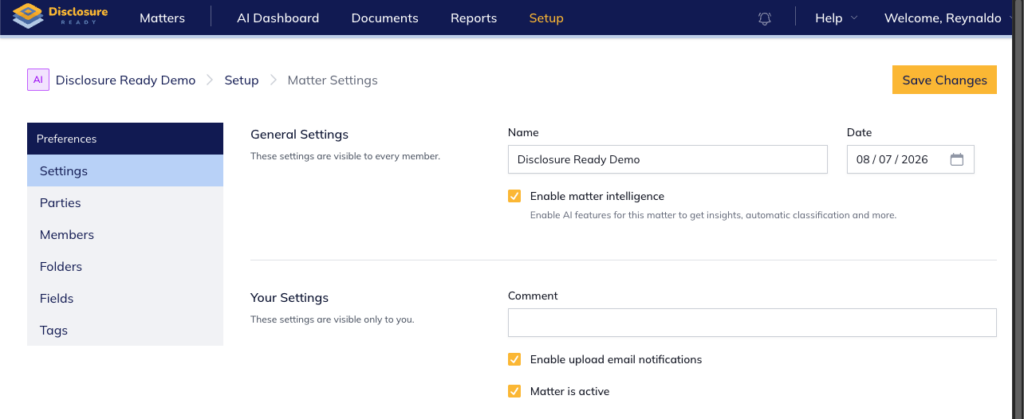
- Under General Settings, edit the matter name, change the date, or add a comment
- Click Save Changes
Editing a party name #
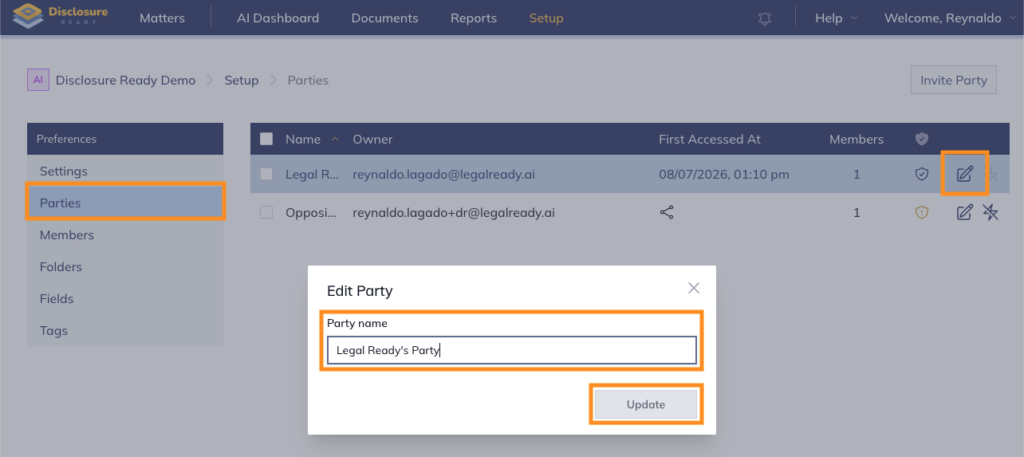
- From the same Setup tab, click Parties from the left-hand panel
- Click the Edit Party next to the party name
- Edit the party name and click Update
For further information or assistance, please do not hesitate to reach out to our dedicated Support Team via support@legalready.ai or +61 3 9020 4456.