
Making a matter inactive removes it form your active matter list without deleting it or its documents.
Making a matter inactive #
- Open the matter and go to the Setup tab
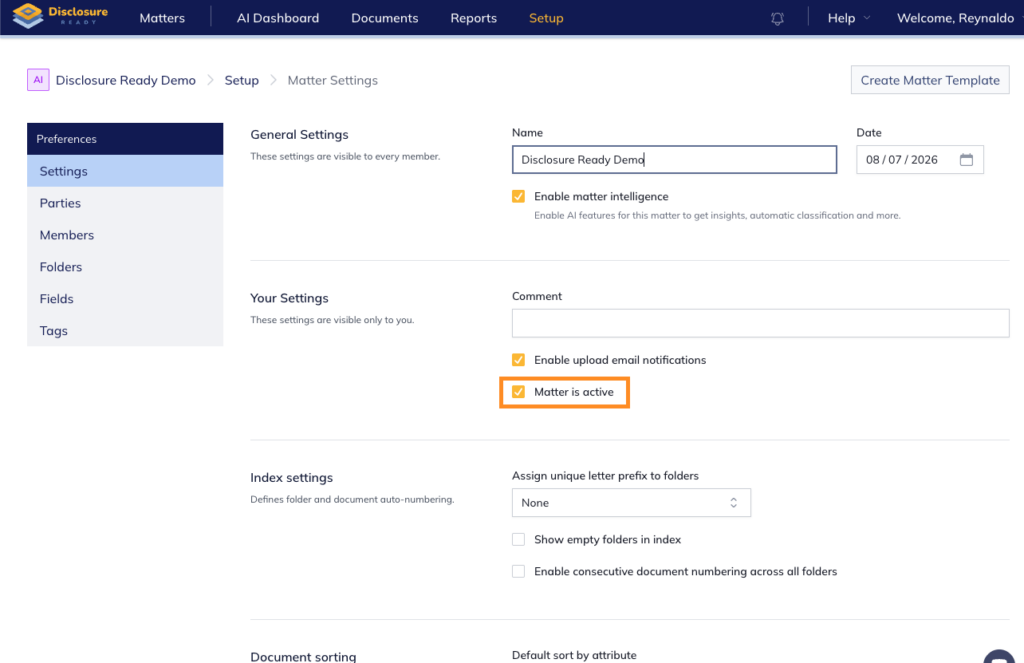
- Select Settings from the left-hand panel
- Under Your Settings, uncheck the Matter is active checkbox — the matter will no longer appear in your active matters list
Reactivating a matter #
To reactivate a matter, return to the same Settings page and check the Matter is active checkbox.
For further information or assistance, please do not hesitate to reach out to our dedicated Support Team via support@legalready.ai or +61 3 9020 4456.