
This article explains how to create a new matter in Disclosure Ready.
Creating a matter #
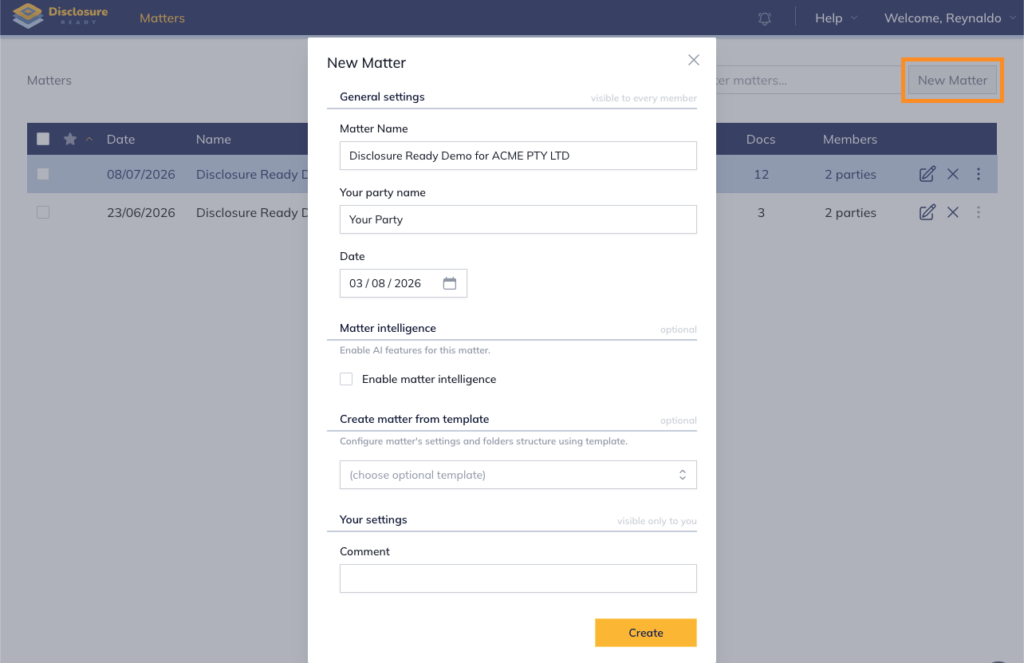
- Click New Matter in the top right corner
- Enter the matter details:
- Matter name
- Your Party name
- Date
- Enable matter intelligence
- Use a template to create your matter
- Comment (optional — visible to you only)
- Click Create — the matter will appear in your Matter list
For further information or assistance, please do not hesitate to reach out to our dedicated Support Team via support@legalready.ai or +61 3 9020 4456.