
Courts limit the file size you can upload (for example, the Magistrates Court system allows uploads up to 50 GB). If your court book exceeds this limit, reduce its size before uploading by using one of the two methods below.
Method 1 – Compress the Court Book
Use a PDF Compression Tool or document optimiser to reduce the overall size.
Method 2 – Split the Court Book into Parts
Split a large court book into two or more smaller file sizes.
- Open the matter and click Setup at the top
- Under Settings > Index settings, tick Enable consecutive document numbering across all folders
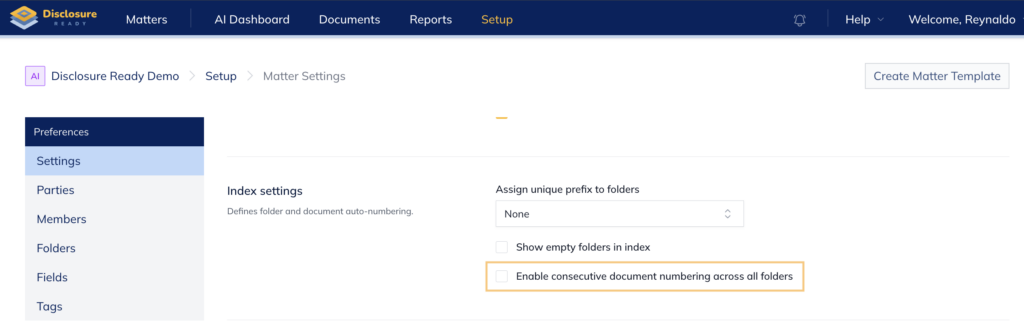
- Click Save Changes
- Click the Documents tab and then click Actions
- Select Create Disclosure Bundle and select the first half set of folders
- Click Create
- Repeat Step 5 and select the remaining folders
Note: Always check the size of your court book before uploading, if needed, repeat the process above and split your Court Book into further parts.
For further information or assistance, please do not hesitate to reach out to our dedicated Support Team via support@legalready.ai or +61 3 9020 4456.