
In Disclosure Ready, you can delete documents individually or in bulk. Deleted documents are moved to the Recycle Bin, where they can be restored or permanently removed.
Deleting a single document #
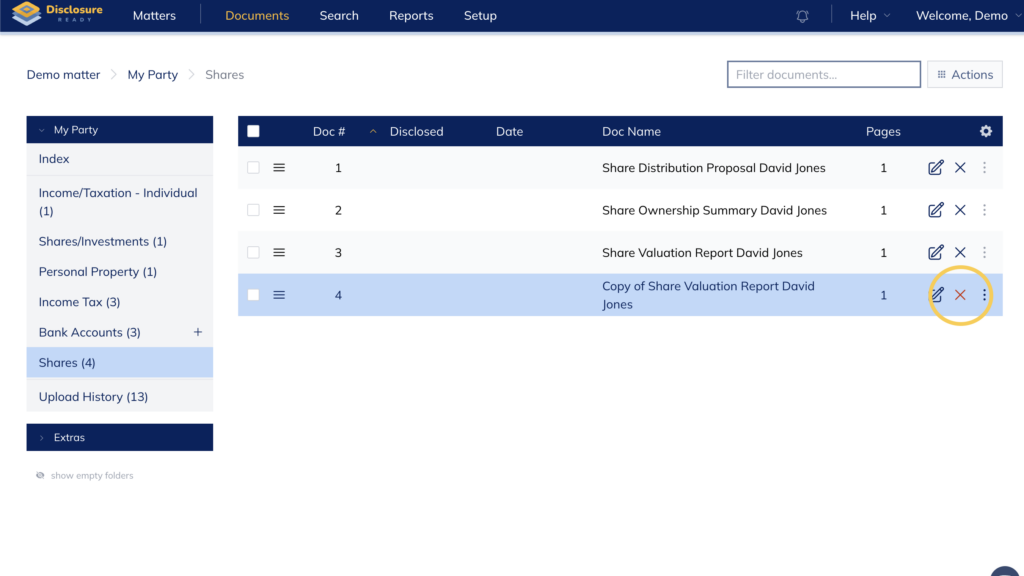
- Locate the document in your folder
- Click the X icon on the right-hand side next to the document name
Deleting multiple documents #
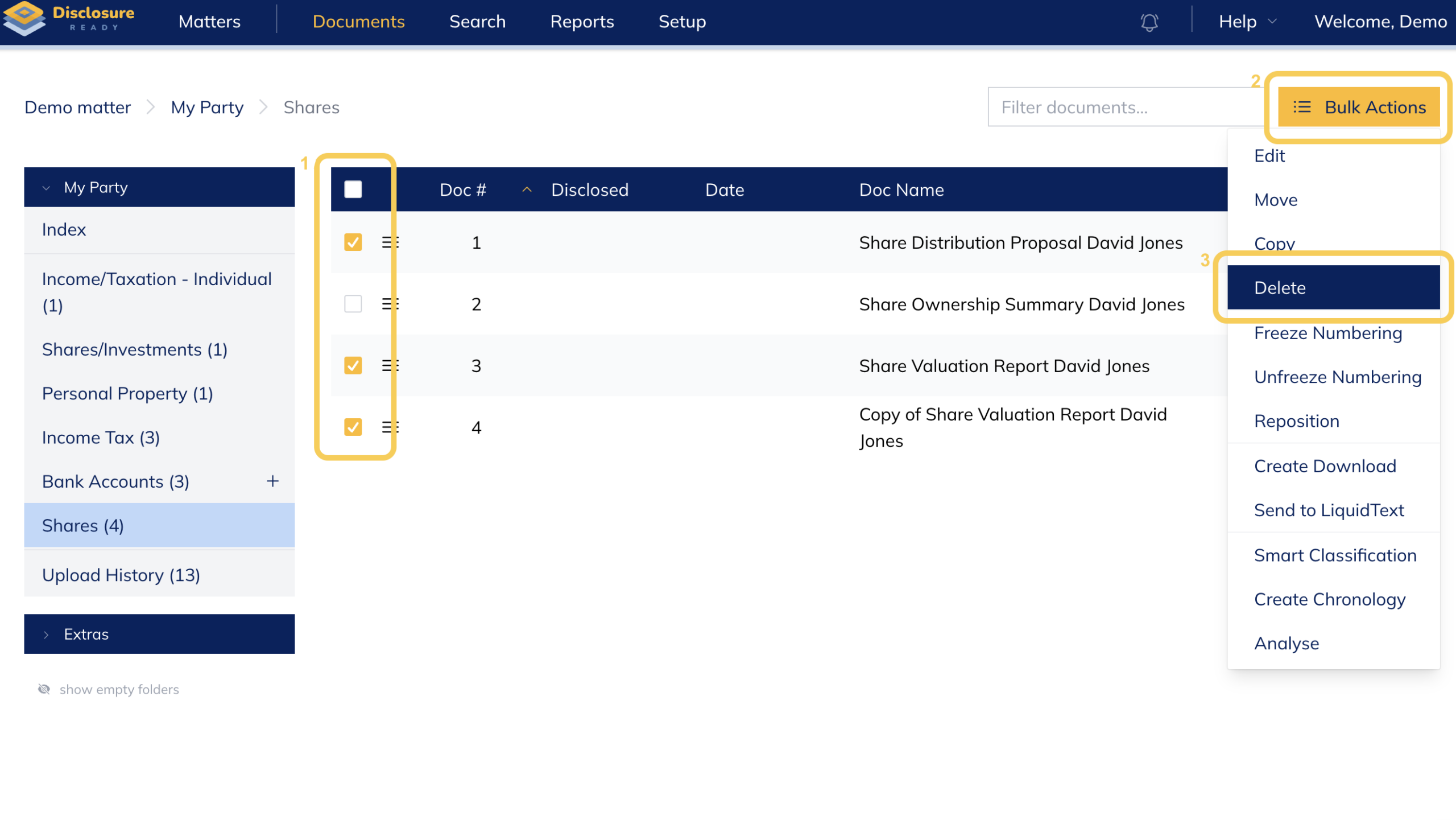
- Select the documents using the checkboxes
- Click Bulk Actions and select Delete
Recycle Bin and retention period #
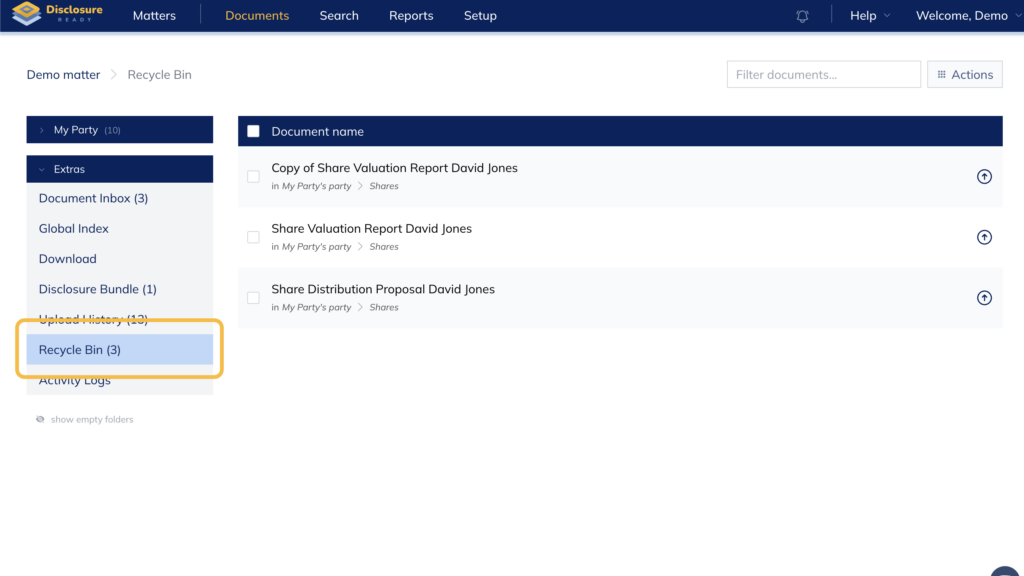
Deleted documents are not immediately removed from Disclosure Ready. They are temporarily stored in the Recycle Bin, located under the Extras section in the left-hand panel.
Documents remain in the Recycle Bin for a retention period set by your organisation administrator. The duration can be configured between 7 and 180 days. After this period, documents are permanently deleted and cannot be recovered.
Restoring deleted documents #
- Go to Extras and select Recycle Bin
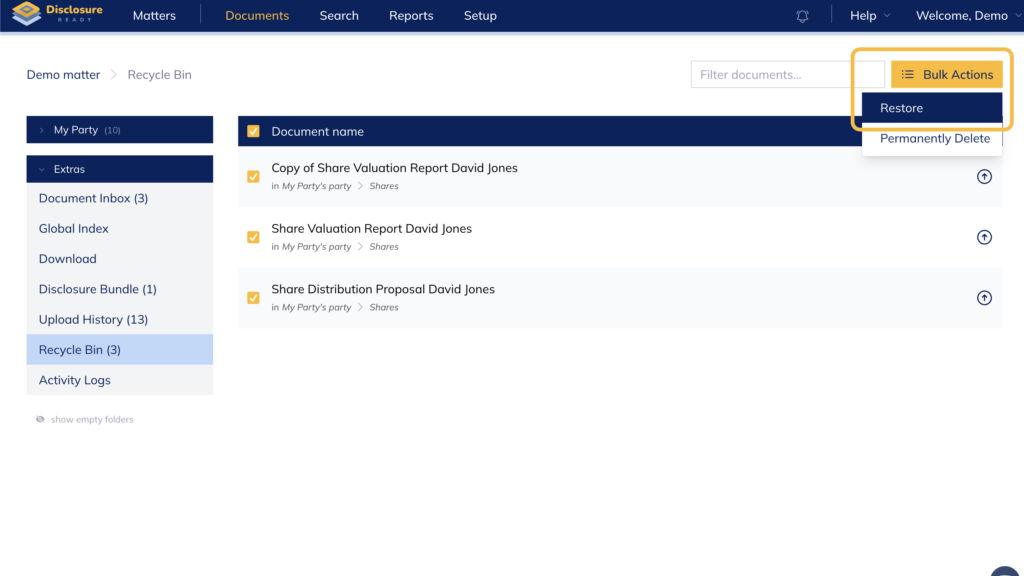
- To restore a single document, click the Restore icon on the right-hand side next to the document name
- To restore multiple documents, select them and click Bulk Actions → Restore
Note: Restored documents will return to their original location within the matter.
Permanently deleting documents #
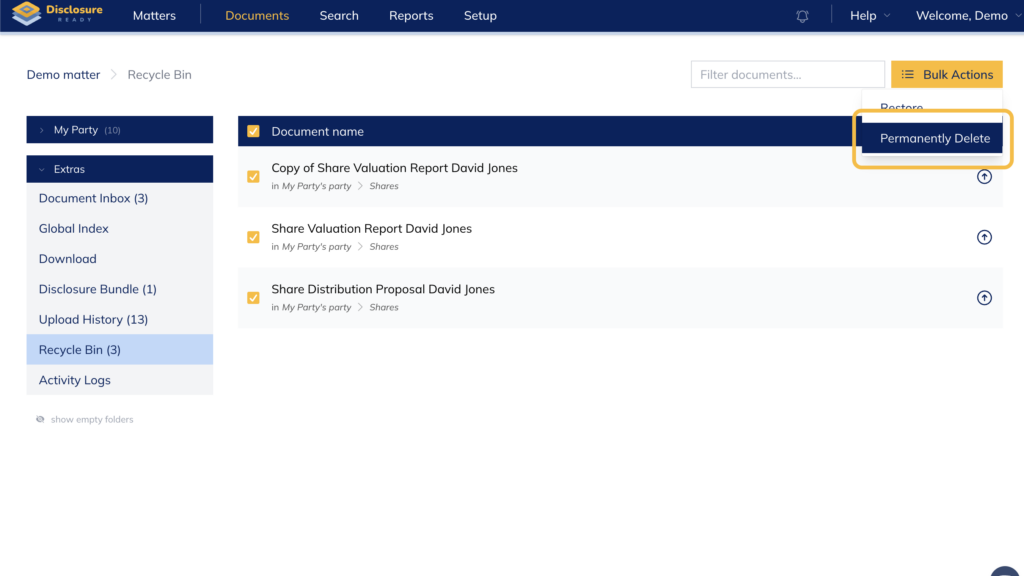
To immediately and permanently remove documents from the Recycle Bin:
- Go to Extras and select Recycle Bin
- Select the documents
- Click Bulk Actions and select Permanently Delete
Note: This action cannot be undone.
For further information or assistance, please do not hesitate to reach out to our dedicated Support Team via support@legalready.ai or +61 3 9020 4456.