
This article explains how to copy individual documents to another matter in Disclosure Ready.
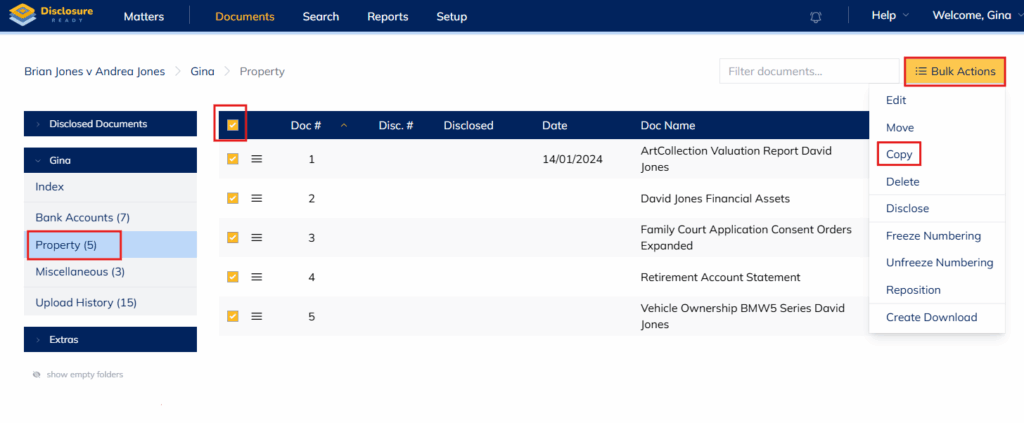
- Open the matter and select the folder containing the documents you want to copy
- Check the box in the first column of the heading bar to select all documents or check individual documents as needed
- Click Bulk Actions and select Copy
- In the Copy Documents panel, select the destination matter from the Matter dropdown
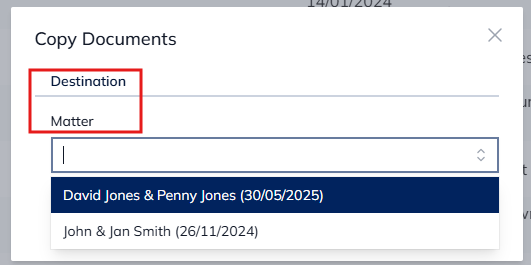
- Click Copy — the selected documents will be copied to the chosen matter.
Note: The original documents remain in the current matter.
Need to copy an entire matter?
To copy all folders, documents and briefs from one matter to another, see How to copy a matter.
For further information or assistance, please do not hesitate to reach out to our dedicated Support Team via support@legalready.ai or +61 3 9020 4456.