
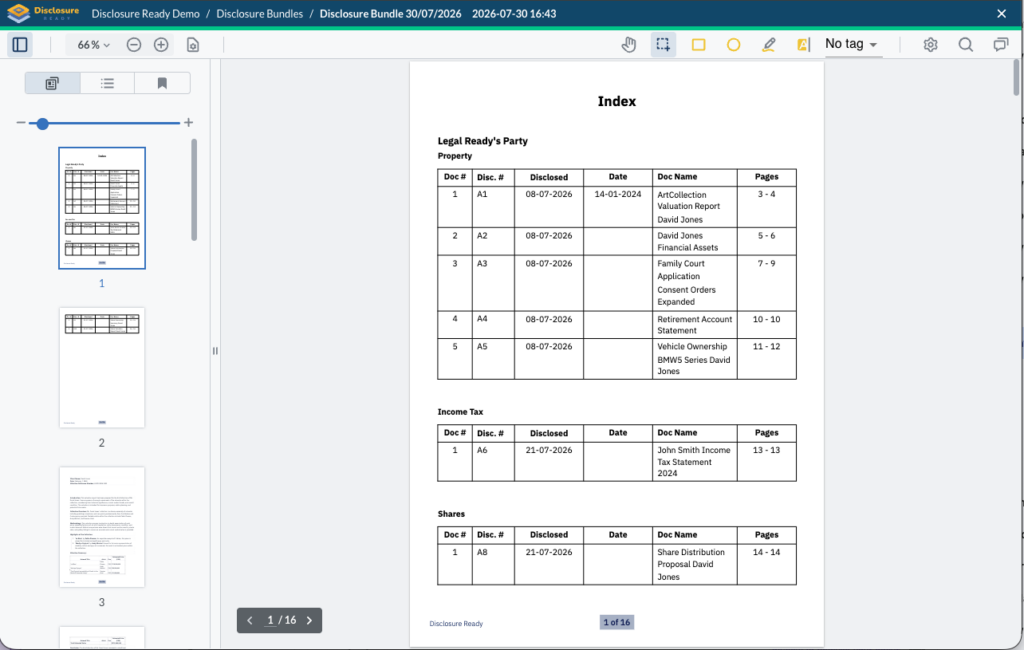
A Disclosure Bundle compiles your matter documents into a single paginated PDF bundle with a hyperlinked index. The bundle includes:
- A hyperlinked index listing all documents
- Bookmarks on the left hand side for easy navigation between documents
- Full text search across all documents using optical character recognition
Watch the following video or refer to the instructions below.
Creating a Disclosure Bundle #
- Open your matter and click Actions in the top right corner
- Select Create Disclosure Bundle
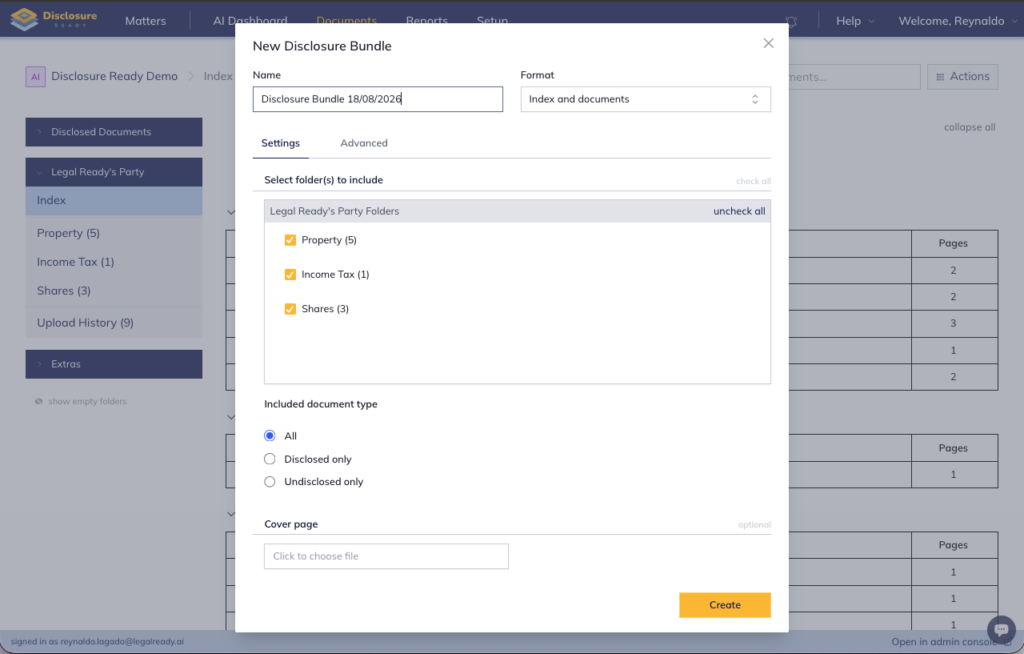
- Enter a Name for the bundle and select which Format to generate
- Select which folders to include — you can include all folders or specific ones only
- (Optional) Click Click to choose file to add a cover page (eg Affidavit) at the front of your bundle
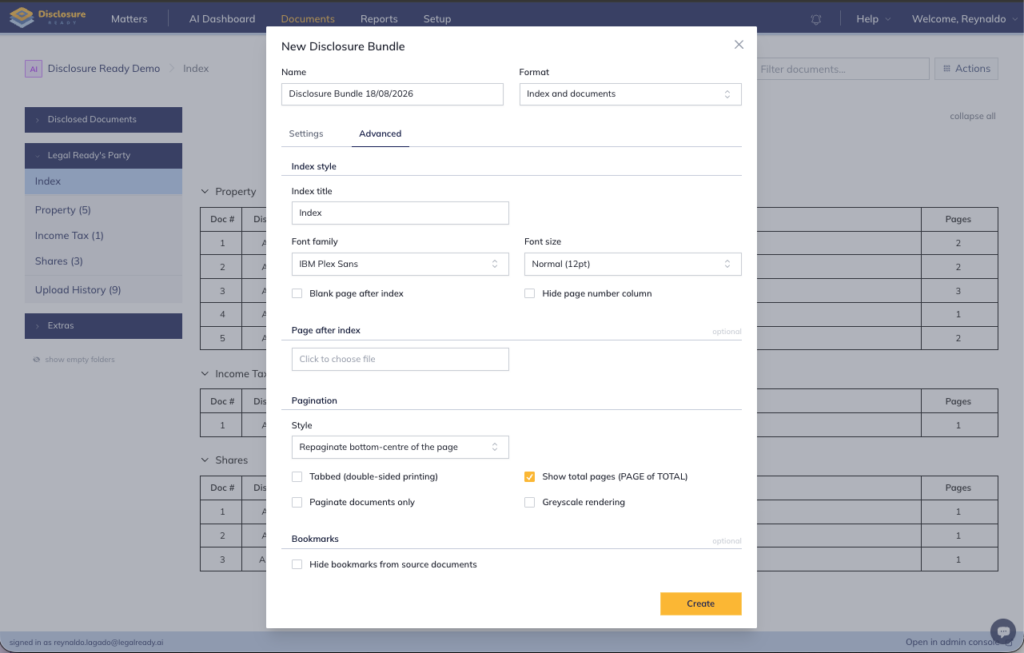
- (Optional) Click Advanced tab to access additional options such as:
- Insert a blank page after the index — adds a blank page between the index and the first document
- Font Family and Size — select different font styles and text size
- Repaginate the entire bundle — renumber all pages sequentially across the entire bundle
- Display total number of pages — shows the total page count on each page. Note that repagination must be enabled first
- Click Create
Viewing your Disclosure Bundle #
You will receive an email confirmation once the bundle has been created.
To access: Go to Documents → Extras → Disclosure Bundle.
For further information or assistance, please do not hesitate to reach out to our dedicated Support Team via support@legalready.ai or +61 3 9020 4456.