
Use AI Matter Intelligence to analyse a single document or a set of documents within your matter. Ask a question, select the documents, and review the AI-generated response.
Tip: For suggested prompts, see Document analysis prompts.
How to analyse your documents
- Open your matter and click the AI Dashboard tab in the top navigation menu
- On the Dashboard, select Analyse from the Discovery & Analysis section
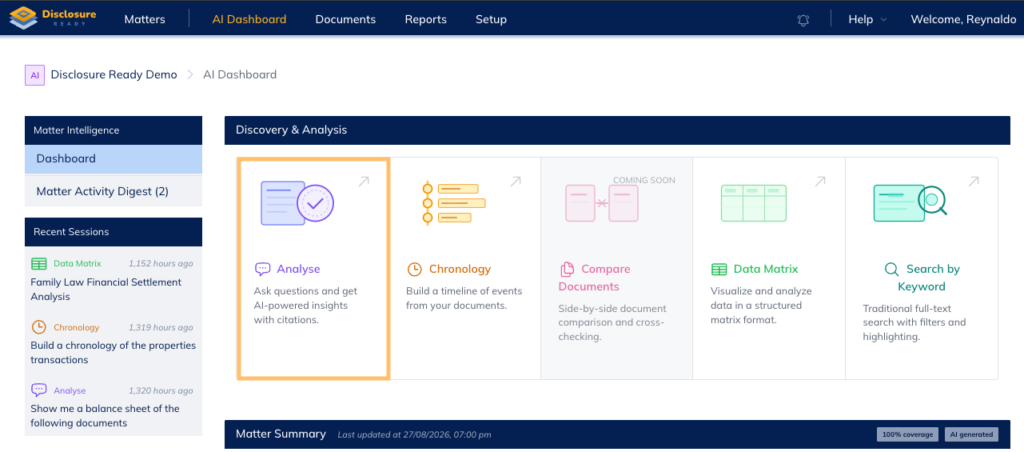
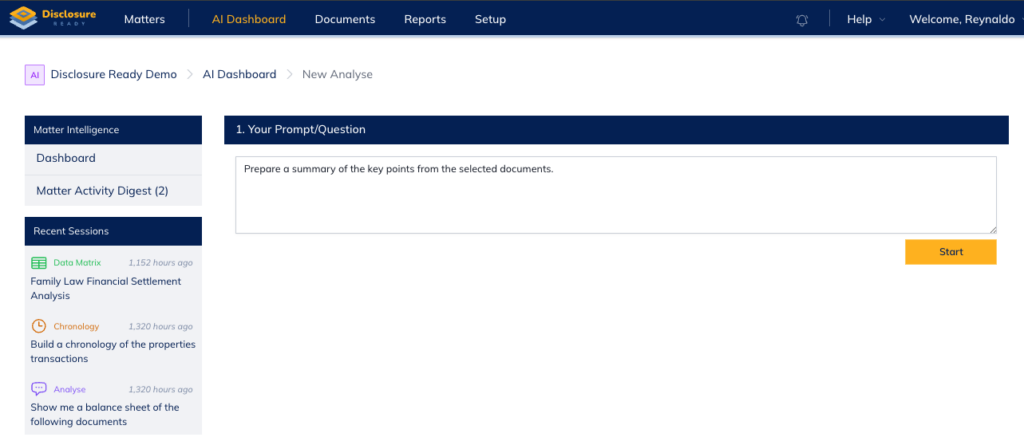
- Within Your Prompt/Question area, enter your prompt or question (eg Prepare a summary of the key points from the selected documents)
- Click Start
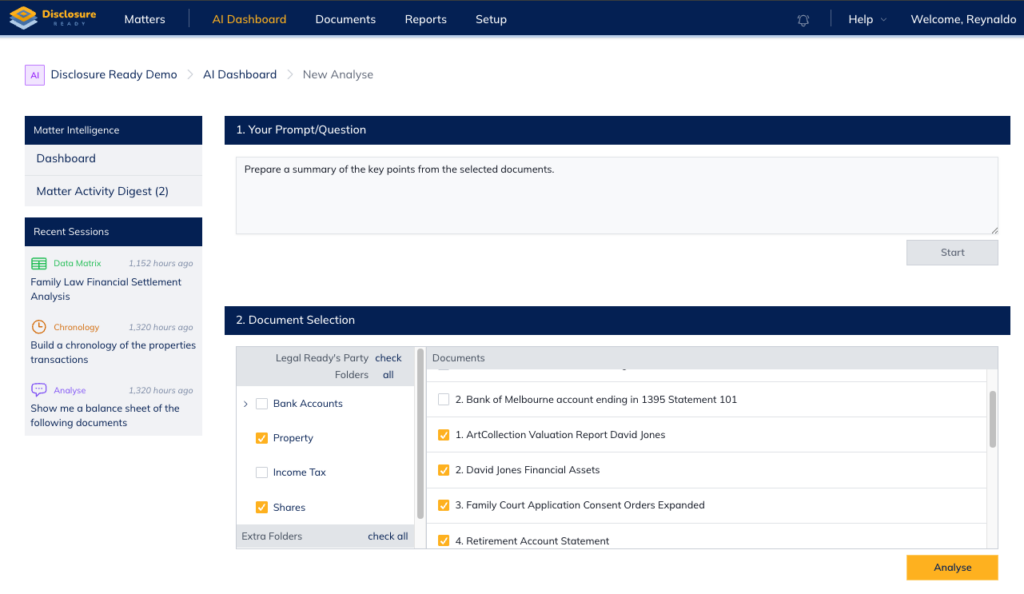
- Under Document Selection, select the folders and/or individual documents you want to analyse
Note: You can tick folders on the left to select all documents within them, or select individual documents on the right. - Click Analyse
Once the documents have been processed, the response will be displayed and saved in the Recent Sessions section on the left hand side.
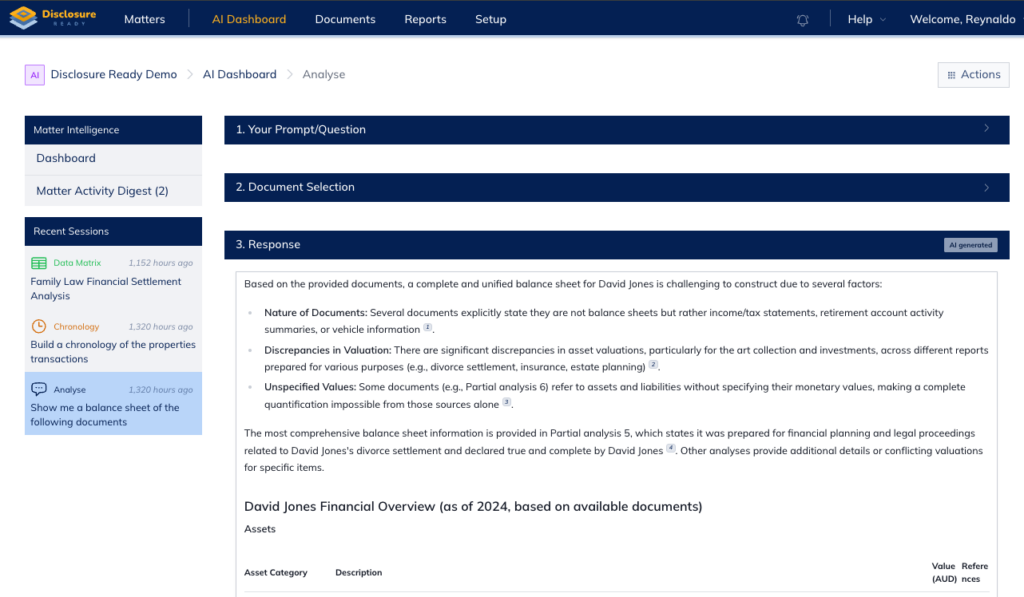
Note: If the documents are being processed for the first time, the system will take slightly longer to produce a response.
Exporting your results
To export the results for offline use, click Actions → Export DOCX in the top right corner
For further information or assistance, please do not hesitate to reach out to our dedicated Support Team via support@legalready.ai or +61 3 9020 4456.