
This article explains the Actions and Bulk Actions buttons in Disclosure Ready and what each one does.
Actions button #
The Actions button is located at the matter level in the top right corner of the screen. It is available when you open a matter.
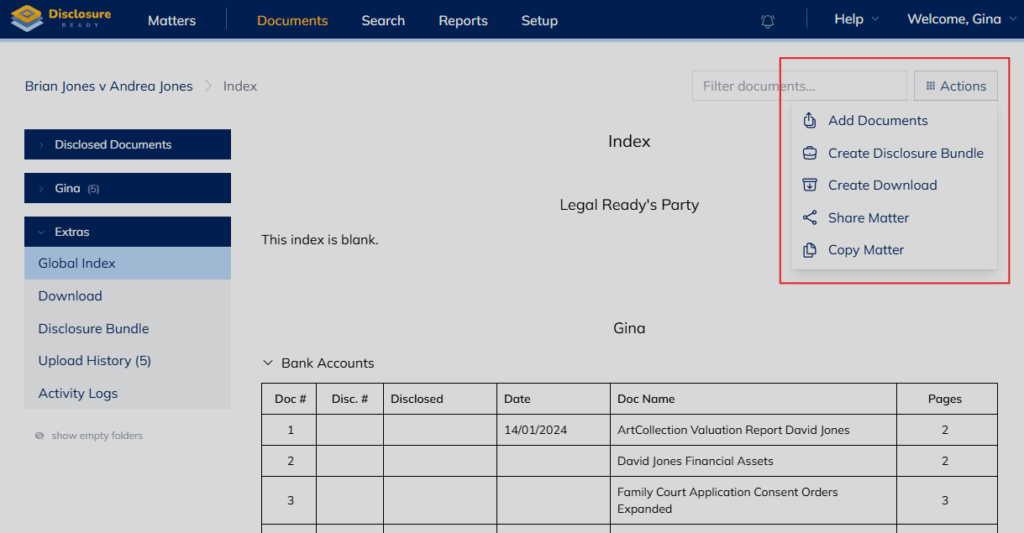
The Actions menu includes:
- Add Documents — upload documents to the matter
- Create Disclosure Bundle — generate a disclosure bundle
- Create Download — create a downloadable package
- Share Matter — share the matter with other users
- Copy Matter — create a copy of the matter
- Identify Duplicates — scan the matter for duplicate documents
Bulk Actions button #
The Bulk Actions button is located at the folder level in the top right corner of the screen. It becomes visible when you select one or more documents by checking their checkboxes, turning them yellow.
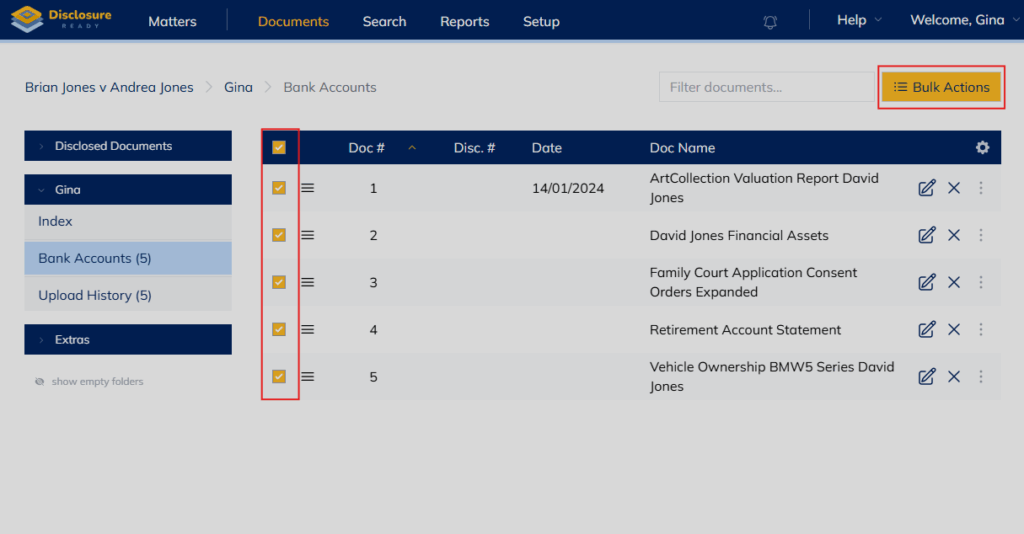
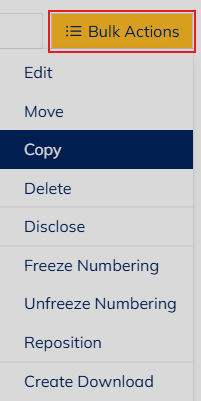
The Bulk Actions menu includes:
- Edit — edit document details
- Move — move documents to another folder
- Copy — copy documents to another matter
- Delete — move documents to the Recycle Bin
- Disclose — disclose selected documents
- Freeze Numbering — lock document numbers
- Unfreeze Numbering — unlock document numbers
- Reposition — reposition documents within the folder
- Create Download — create a downloadable package of selected documents
For further information or assistance, please do not hesitate to reach out to our dedicated Support Team via support@legalready.ai or +61 3 9020 4456.