
When you have documents that are ready to be disclosed but you do not want to disclose them immediately, you can add them to your Disclosure Drafts.
Watch this video or refer to the instructions below.
Adding documents to draft #
- Open the folder containing the documents you want to draft
- Select the documents you wish to disclose
- Click Bulk Actions and select Disclose
Note: You must have an opposing party in the matter to be able to disclose documents. - Choose the option to Add to draft
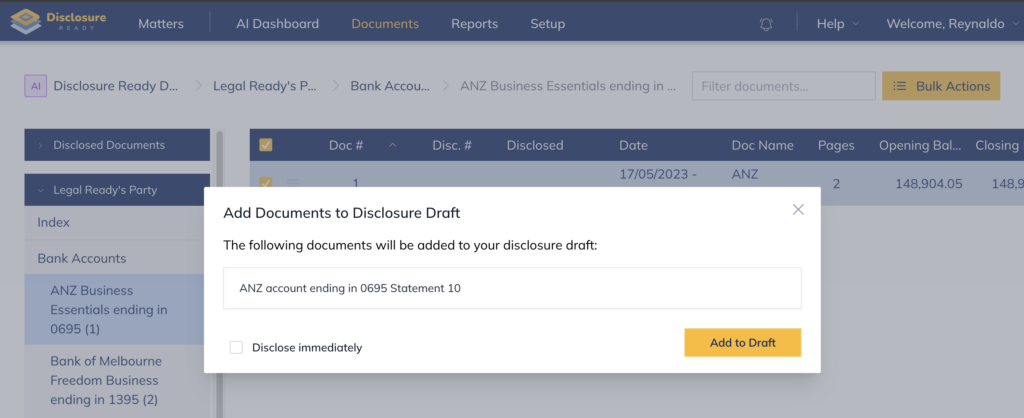
The selected documents will be marked as in draft. The index will also show that the disclosed documents are in draft status.
Managing draft documents #
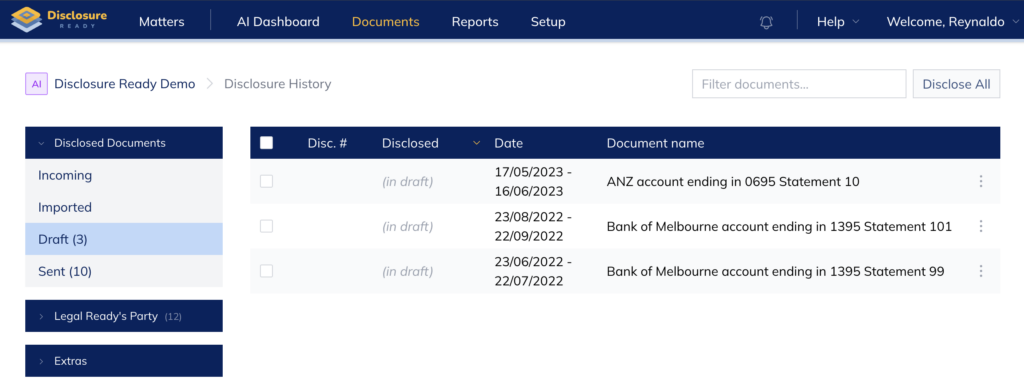
When the draft documents are ready to be disclosed, they can be found under Documents → Disclosed Documents → Draft.
From here you can:
- Disclose all by clicking the Disclose All in the top right hand corner
- Remove documents from draft by ticking the checkbox next to the document and clicking Remove from draft in the top right hand corner
For further information or assistance, please do not hesitate to reach out to our dedicated Support Team via support@legalready.ai or +61 3 9020 4456.