
Administrators on Disclosure Ready Law Firm and Law Firm Plus subscriptions can reset Two-Factor Authentication (2FA) for firm users. Use this when a team member gets a new phone or loses access to their authenticator app. #
Disabling 2FA removes it for 24 hours. During this window, the user must log in and set up 2FA again.
- Open Disclosure Ready and click Welcome in the top right corner
- Click Organisation Admin
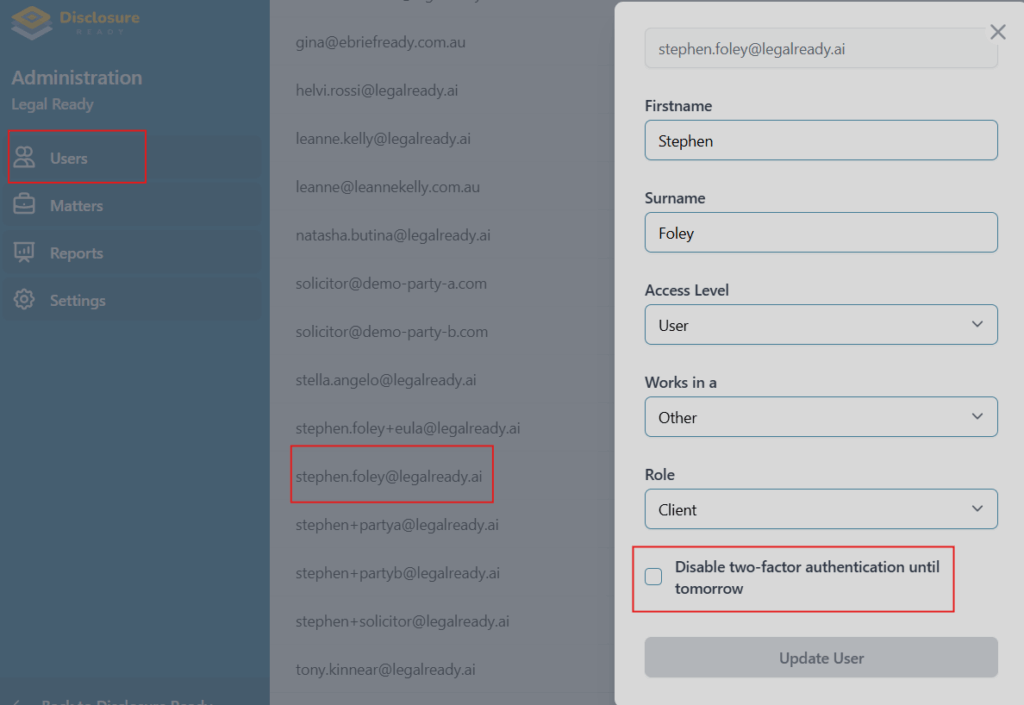
- Click Users at the top navigation bar
- Click the user and tick Disable two-factor authentication until tomorrow
- Click Update User
For further information or assistance, please do not hesitate to reach out to our dedicated Support Team via support@legalready.ai or +61 3 9020 4456.