
This article explains how to identify and remove duplicate documents within a matter in Disclosure Ready.
Identifying duplicates #
- Open the matter and click Actions in the top right corner
- Select Identify Duplicates
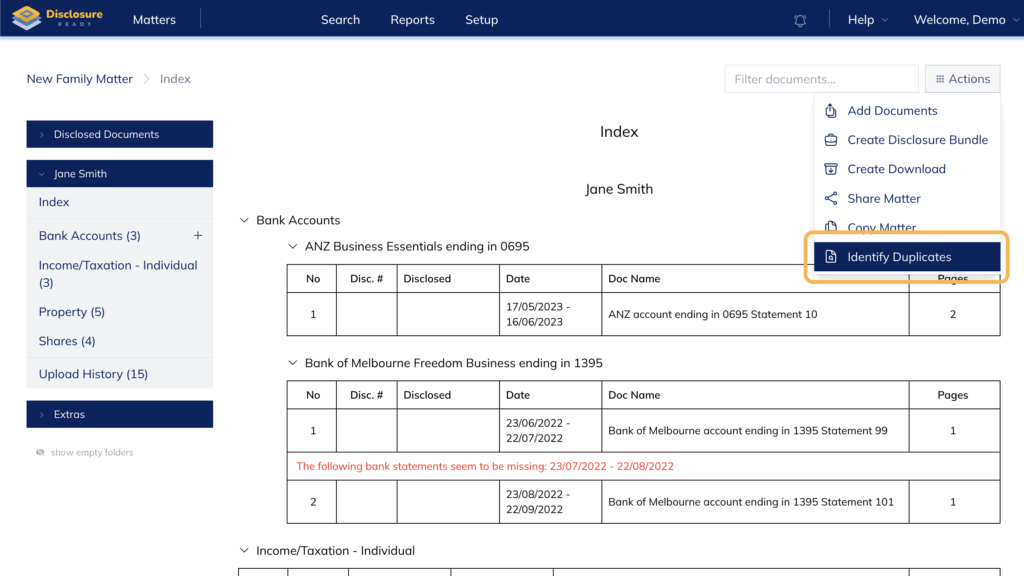
Disclosure Ready will scan the matter and automatically highlight any duplicate documents grouped by duplicate set.
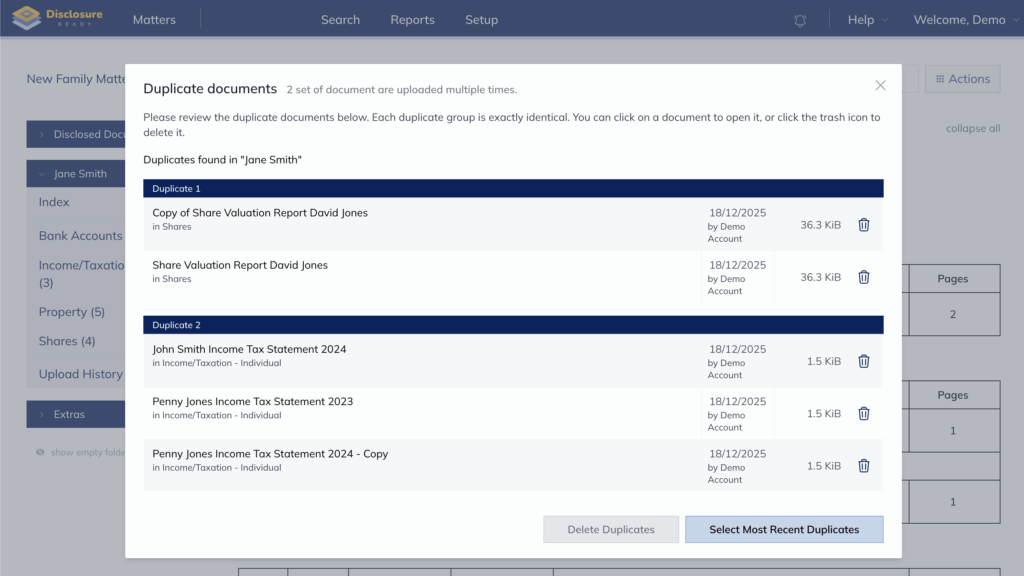
Reviewing duplicates #
Each duplicate group shows all matching documents. You can click on any document to open and review it before deciding which to remove.
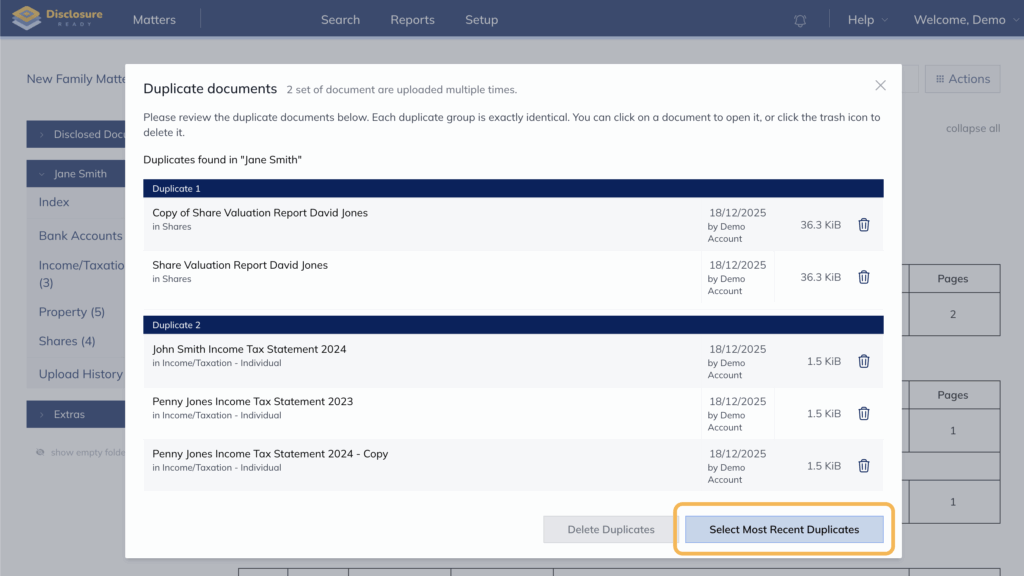
To automatically select the most recent duplicates for deletion, click Select Most Recent Duplicates. This keeps the oldest document in each group unselected and selects all newer copies, helping you identify the original document and distinguish it from copies added later.
Deleting duplicates #
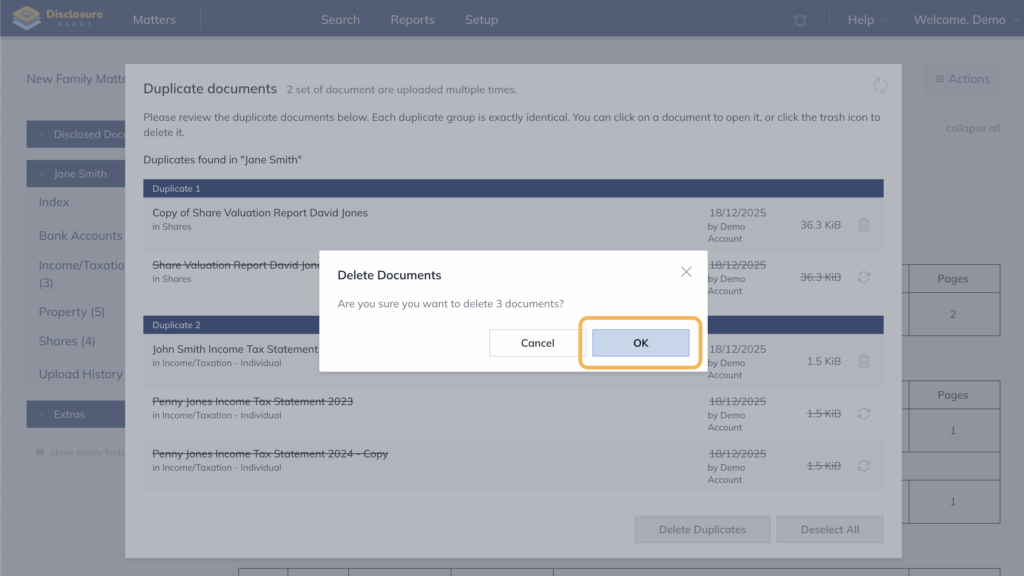
Once you have confirmed which documents to remove, click Delete Duplicates and confirm the deletion.
For further information or assistance, please do not hesitate to reach out to our dedicated Support Team via support@legalready.ai or +61 3 9020 4456.