
Tags can be highly beneficial for organising and categorising annotations on your documents. Create the tag once, then apply it to any annotation within the matter.
Creating a new tag #
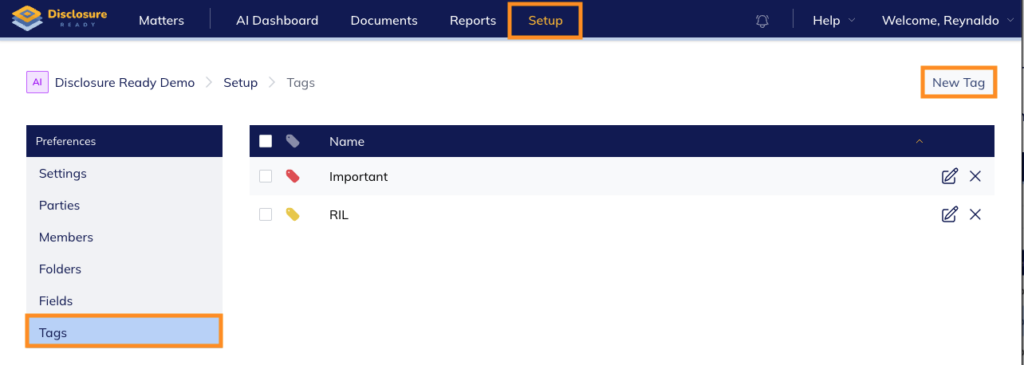
- Open your matter and click Setup at the top
- In the left hand menu, click Tags
- Click New Tag in the top right corner
- Enter a name for the tag and nominate a colour
- Click Create
Edit/delete a tag #
- Open your matter and click Setup at the top
- In the left hand menu, click Tags
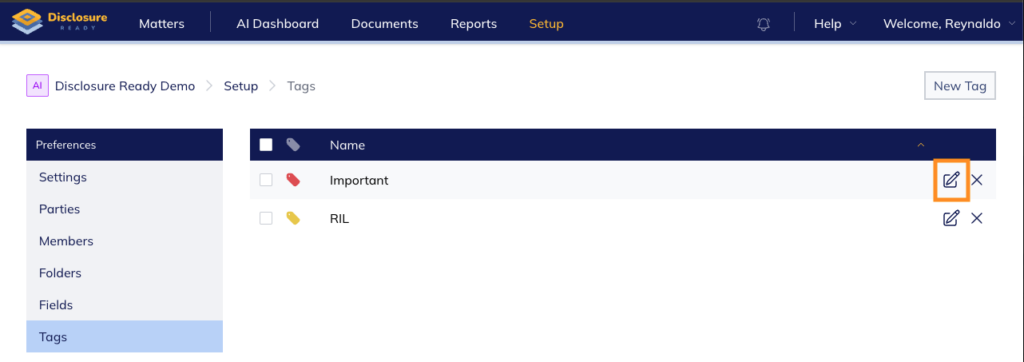
- To edit a tag, click the Edit tag button
- To delete a tag, click the cross to the right and confirm deletion
Generate a report of your tags #
- Open your matter and click Setup at the top
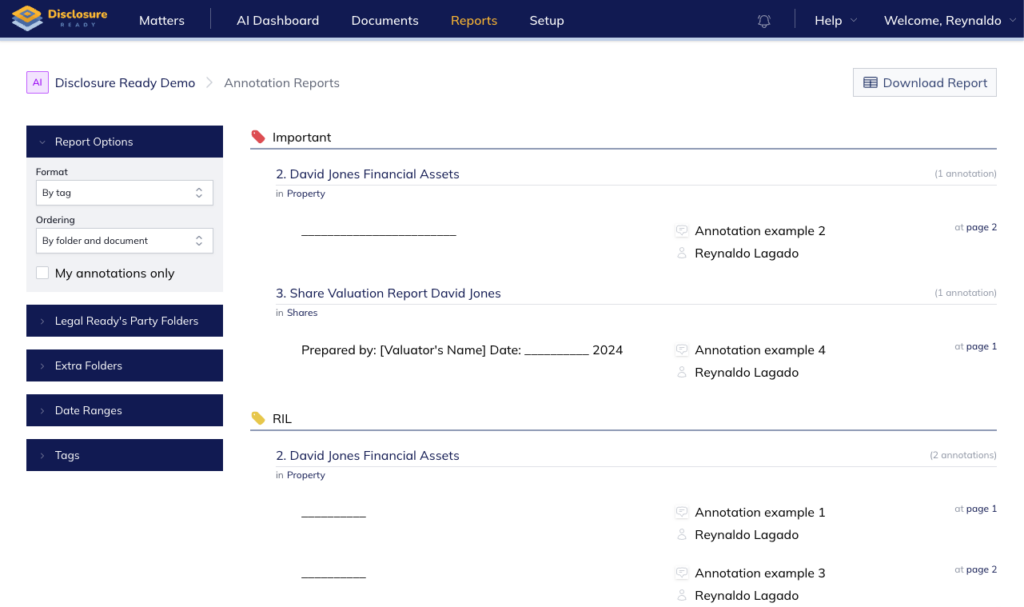
- Click the Reports tab at the top
- In the left hand menu under Report Options, filter results by folder, date range or tag
- (Optional) Click Download Report to export your report
For further information or assistance, please do not hesitate to reach out to our dedicated Support Team via support@legalready.ai or +61 3 9020 4456.